COLT
I'm on a boat.
I have noticed as of late many folks do not know how to post pictures on your for sale ads. Here is a simple tutorial with pictures so you will not have to go without. Many buyers will not give your ad a second look without a picture, and a lot of us love to shop...
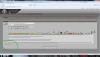
Step one, Locate the "additional options icon in the bottom left corner of the screen under the dialogue box for your text.
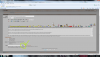
Step two, Click on the additional options Icon and select the "browse button"
Step three, Click on the "Browse Button" and then locate the picture on your device(IE computer or phone or similar picture account like PhotoBucket)
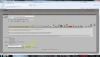
Step four, for most computers double click on the image on your device and the image code will jump to the box to the left of the "browse" button
If you care to upload another picture click on the "More Attachments" icon and you can upload up to 5 at a time. I highly recommend using a free photobucket account as you can upload way more than 5 pictures and directly paste the image link into the text box that I am writing in right now. This also saves tons of space on the HardLine server and keeps the forum Gods happy! If you cant figure it out, PM me your number and I will walk you through it. Pictures are below for easy reference when you are posting your images!! GOOD LUCK!!
Step one, Locate the "additional options icon in the bottom left corner of the screen under the dialogue box for your text.
Step two, Click on the additional options Icon and select the "browse button"
Step three, Click on the "Browse Button" and then locate the picture on your device(IE computer or phone or similar picture account like PhotoBucket)
Step four, for most computers double click on the image on your device and the image code will jump to the box to the left of the "browse" button
If you care to upload another picture click on the "More Attachments" icon and you can upload up to 5 at a time. I highly recommend using a free photobucket account as you can upload way more than 5 pictures and directly paste the image link into the text box that I am writing in right now. This also saves tons of space on the HardLine server and keeps the forum Gods happy! If you cant figure it out, PM me your number and I will walk you through it. Pictures are below for easy reference when you are posting your images!! GOOD LUCK!!